


How to Improve User Experience on Wix: A Complete Guide

User experience decides how long visitors stay on your website and what actions they take. On Wix, strong design alone does not guarantee results.
94% of first impressions about a website are influenced by its design, making aesthetics crucial for user trust and credibility.
You need clarity, speed, and ease at every step. When visitors feel comfortable, they explore more pages, trust your brand, and convert faster.
If your Wix site feels confusing or slow, users leave without a second thought. You must design with the user in mind, not just the layout.
Understanding UX in Website Design
User experience in website design focuses on how easily you can use a website and achieve your goal without effort. A strong UX ensures that navigation feels natural and content stays easy to understand.
Poor design or content drives away 38% of web visitors, and slow image loading causes 39% to lose interest and leave.
When pages load quickly and layouts remain clean, you feel more comfortable exploring the site. UX also improves how you interact with buttons, forms, and links. Each element should respond clearly to your actions.
A well-designed user experience reduces frustration and builds trust. When a website meets your expectations, you stay longer and engage with confidence.

You may find it helpful: UX vs. UI: What’s the Difference and Why It Matters for Your Website
Focus on Clear Site Structure
You should guide visitors without forcing them to think. Your navigation must stay simple and predictable. Limit your main menu to the most important pages. Use clear labels instead of creative or confusing names.
88% of users won’t return to a website after a bad experience, highlighting the importance of seamless, intuitive design.
When users land on your site, they should know where to go within seconds. A clean structure builds confidence and reduces frustration.
Improve Page Load Speed
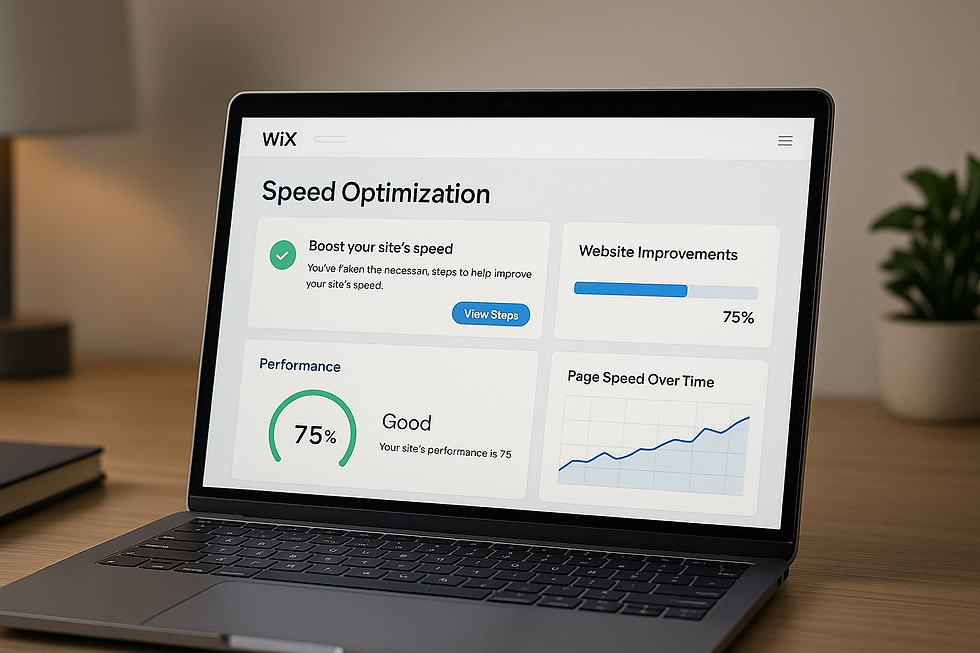
Speed plays a major role in user experience on Wix. Large images, heavy animations, and unused apps slow your site down. Compress images before uploading them.
Remove apps you no longer use. Avoid autoplay videos on landing pages. A fast site keeps users engaged and lowers bounce rates. Search engines also reward faster websites.
Design for Mobile First
Most visitors now browse from mobile devices. Your Wix site must look and work perfectly on smaller screens. Check mobile layouts manually instead of relying only on automatic adjustments.
Increase font size for readability. Keep buttons large enough to tap easily. When mobile users struggle, they leave quickly.
Use Readable Fonts and Colors
Design should support content, not overpower it. Choose fonts that are easy to read on all devices.
Avoid using too many font styles on one page. Maintain strong contrast between text and background. Soft colors with clear text improve comfort and reduce eye strain. A clean visual flow keeps users focused on your message.
Create Clear Calls to Action
Every page should guide users toward one main action. Whether it is contacting you, booking a service, or reading another article, your call to action must stand out. Use direct language that tells users what to do next.
Place buttons where users naturally pause. Clear actions reduce confusion and increase conversions.
Click here to read: Why Every Business Needs a Unique Logo and Brand Identity
Keep Content Simple and Scannable
Users do not read websites word by word. They scan. Break content into short paragraphs. Use clear headings that explain what comes next.
Avoid long blocks of text. Write in a direct and helpful tone. When users understand your message quickly, they stay longer and trust you more.
Remove Distractions
Too many animations, popups, and effects distract users. Wix offers many design features, but you should use them with care.
Avoid unnecessary movement that pulls attention away from your content. A calm and focused design improves engagement and professionalism.
Build Trust with Visual Signals
Trust improves user experience instantly. Add testimonials, reviews, and real images where possible.
80% of consumers are open to paying more for an enhanced UX, showing that good design has direct business value.
Display contact information clearly. Include an about page that explains who you are and what you do. When users feel safe, they interact more freely with your site.
Further readings: Why Every Business Needs a Website: Advantages of a Website
Test and Improve Regularly
User experience is not a one time task. Review your site often. Use Wix analytics to track user behavior.
Look for pages where users drop off. Adjust layout, content, or navigation based on real data. Small improvements over time lead to strong long term results.
Improve Your Wix User Experience with Wix Patriots
Your Wix website should guide visitors smoothly and convert them with confidence. If users leave too soon or feel confused, your site needs expert attention.
Wix Patriots helps you improve user experience through smart design, clean structure, and performance-focused optimization. You get a website that feels fast, clear, and easy to use.
Take the next step today and let Wix Patriots turn your Wix website into a results driven platform.
Conclusion
Improving user experience on Wix requires intention and consistency. When your site feels fast, clear, and easy to use, visitors stay longer and take action. Design choices should always support the user journey. When you prioritize user experience, your Wix website becomes more than a design. It becomes a results driven platform.


